CERTIFICATE S4


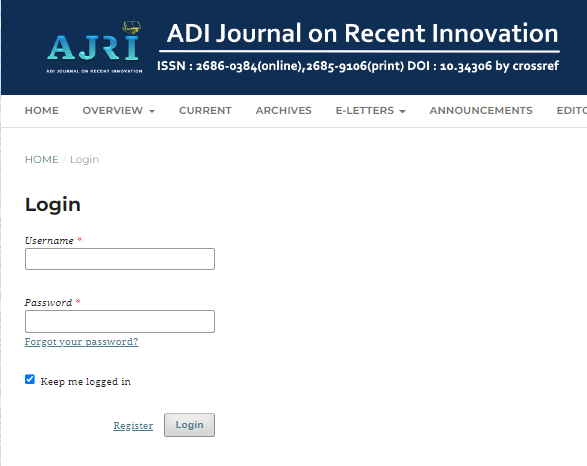
1. Please log in first.
2. Select the overview option, then go to the submission menu. 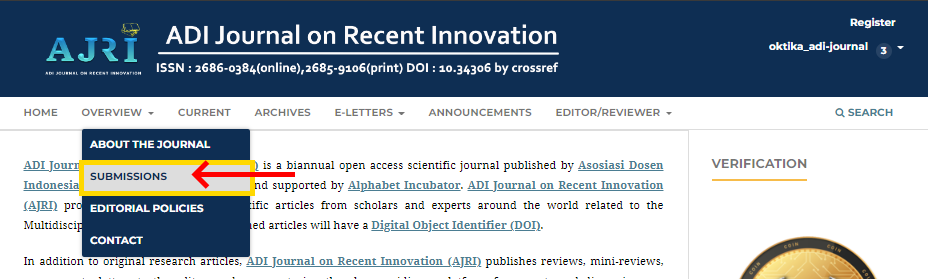
3. Then please click new submission. 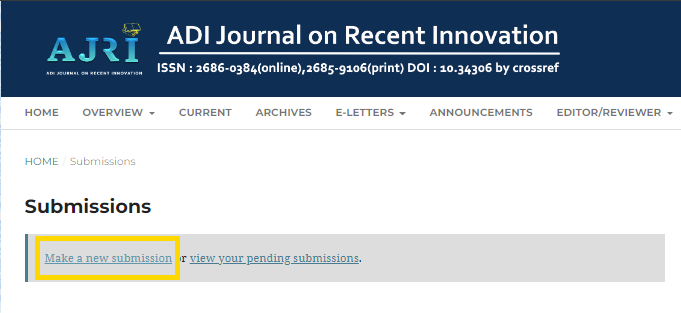
4. Please tick all the checkboxes, Then continue to the next page. 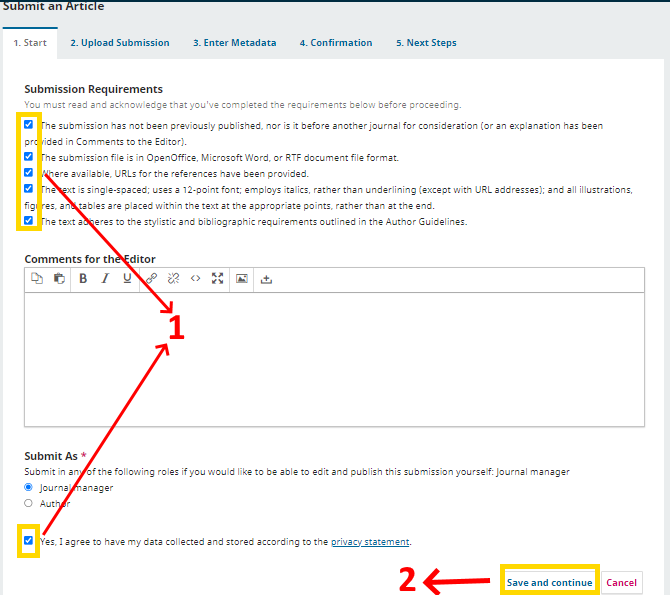
5. Next, please upload the document that will be submitted (Make sure the document is in word and is following the template provided, and is in English). 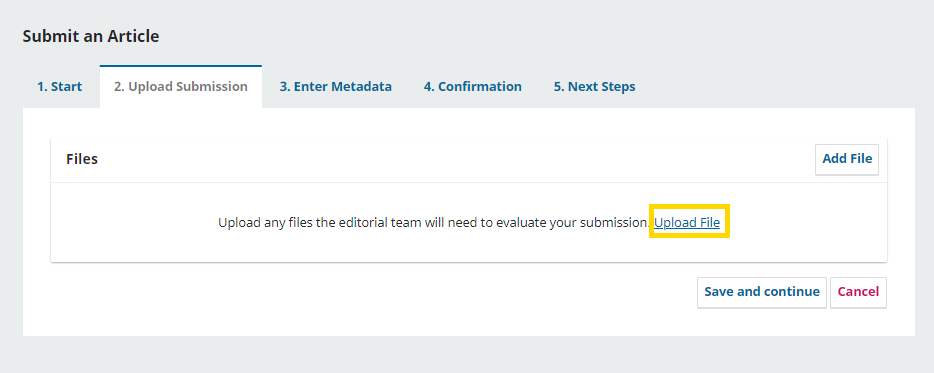
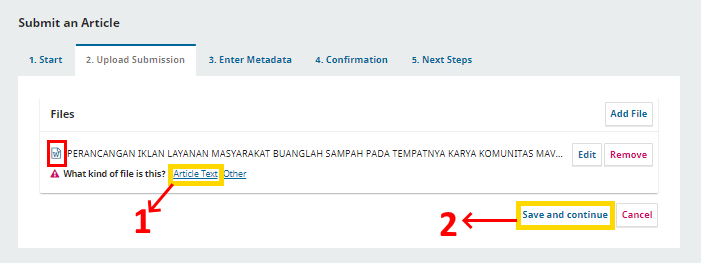
6. After the document upload process is complete, please select the text article option and proceed to the next process.
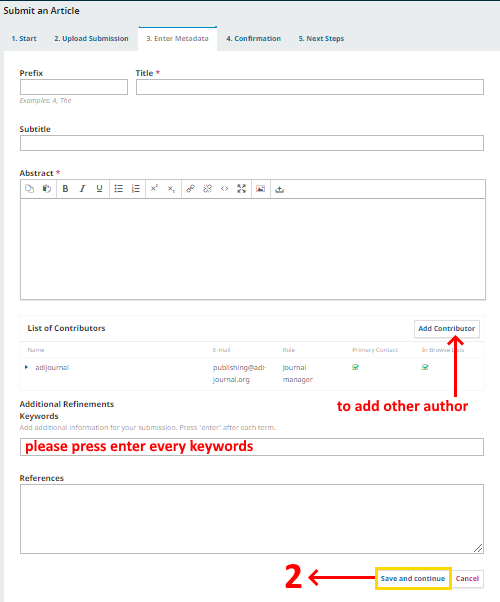
7. Followed by filling out a data paper consisting of:
a. Prefix: Document prefix such as A, The (If not, please leave blank)
b. Title: Title of the document (If the prefix has been filled in, the prefix does not need to be rewritten in the title).
c. Sub Title: Sub of the title that you have (if not, please leave it blank)
d. Abstract: Abstract from a paper consisting of a maximum of 250 words and written in italics.
e. Additional Keywords: Please enter keywords (please enter keywords one by one).
f. List of Contributors: Please list all authors listed in the paper.
g. Reference: Please input the reference from the paper (Make sure the reference consists of citations from the last five years).
Then please proceed to the next stage.
8. Please click Finish Submission and then proceed to the following procedure.
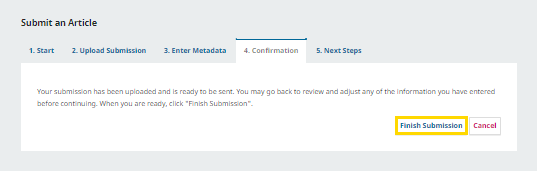
9. Then the submission process was completed.
CERTIFICATE S4
Template

SUPPORT BY


SUBMISSION

References


 |
|
||||||||||||||


.png)