CERTIFICATE S4


Here is how to change the password on AJRI Jurnal
1. Login to the AJRI Journal web page >> Here <<
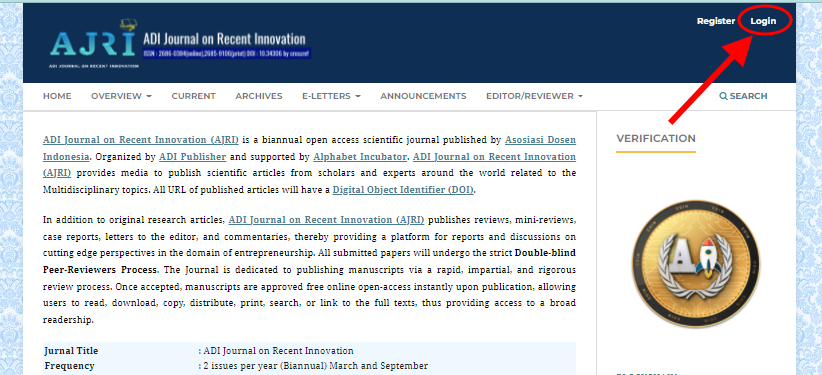
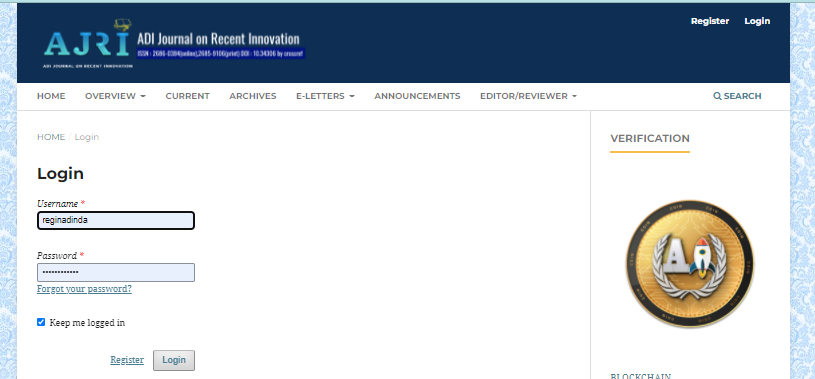
2. Enter the Username and Password that the Assistant Editor has sent via E-Mail
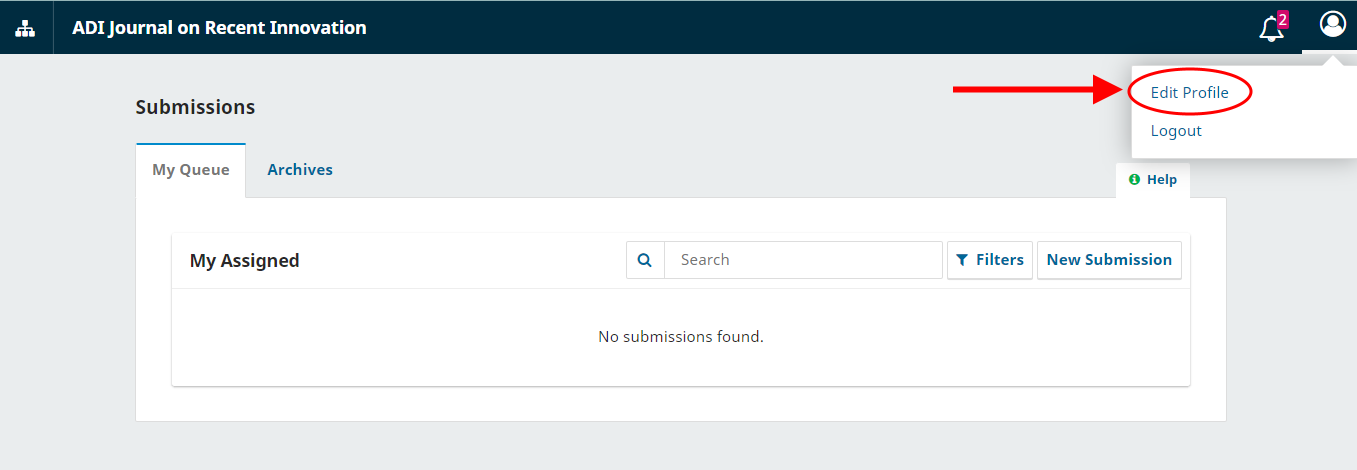
3. Click the User Name in the Top Right Corner, then select Edit Profile
4. Next, click on the Password section
5. Enter the old password, enter the new password, and repeat below with the new password.
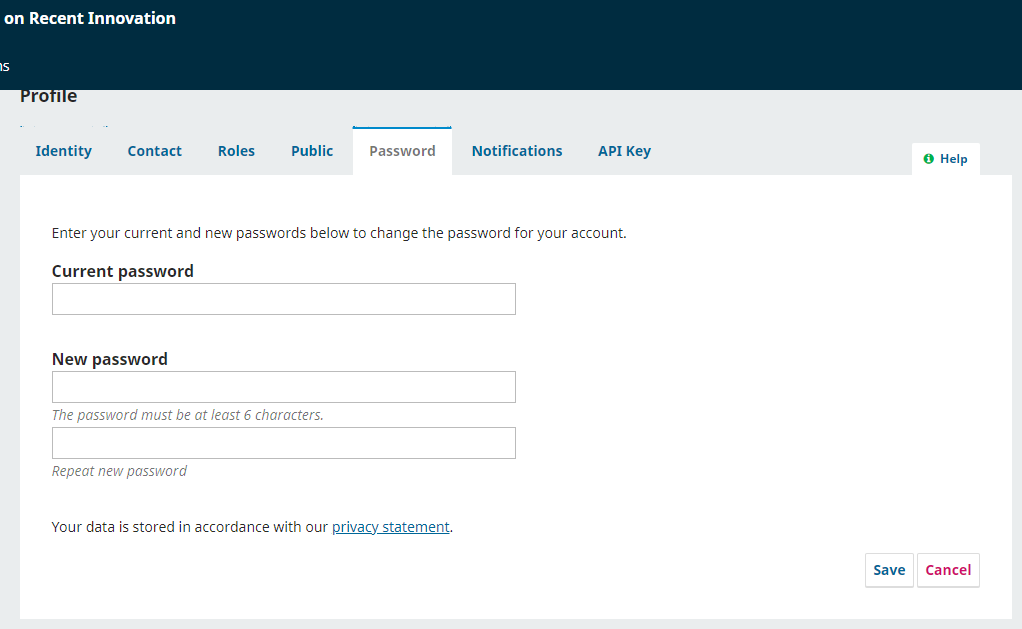
6. Save the latest password, then proceed to the Submission page to review.
CERTIFICATE S4
Template

SUPPORT BY


SUBMISSION

References


 |
|
||||||||||||||


.png)